6 Canva Font Pairings That Don't Look Like Everyone Else's
This post contains affiliate links. If you buy or subscribe through them, I may earn a small commission at no extra cost to you. More about that.
You know that feeling when you open a Canva template and recognise it straight away, because half of Pinterest used the same fonts? The quickest fix isn’t a new template. It’s a better font pairing.
A good pairing is simple: one font with personality for the headline, one calm font for everything else. Below are six pairings I like. Each one combines a headline font from Creative Fabrica with a body font that is already in Canva’s free library, so you only need to add one new font to your Brand Kit.
Which pairing for which project
| Pairing | Look | Best for |
|---|---|---|
| Funky Groovy + Poppins | retro, 70s, fun | posters, stickers, kids’ party invites |
| Marquis + Montserrat | elegant, minimal | logos, social media, price lists |
| Playful Bubble + Quicksand | cute, bubbly | kids’ brands, classroom printables |
| Antonio Signature + Playfair Display | luxe, personal | wedding stationery, fashion brands |
| Remla + Lato | high-fashion, editorial | beauty brands, magazine-style posts |
| Simple Signature + Cormorant Garamond | romantic, soft | wedding invites, thank-you cards |
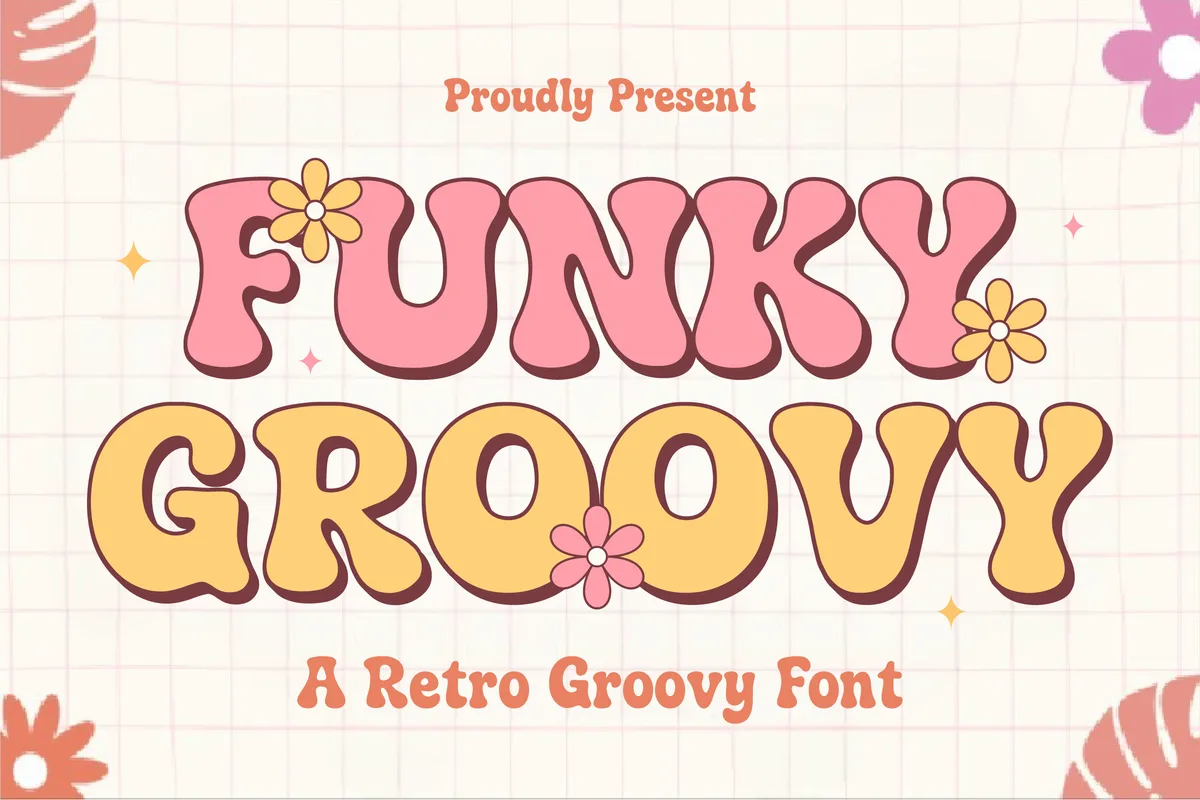
1. Funky Groovy + Poppins
Retro displayHeadline fontCommercial use
The look: Funky Groovy is a bold retro display font with bubbly curves and chunky 70s-inspired letters. Poppins is a clean geometric sans that keeps the rest of the design readable.
Best for: party invitations, posters, sticker sheets and Instagram announcements.
How to set it up in Canva: headline in Funky Groovy, 2–3 words only, big. Everything else in Poppins Regular. Retro fonts get messy in long sentences, so keep them for the “wow” line.
2. Marquis + Montserrat
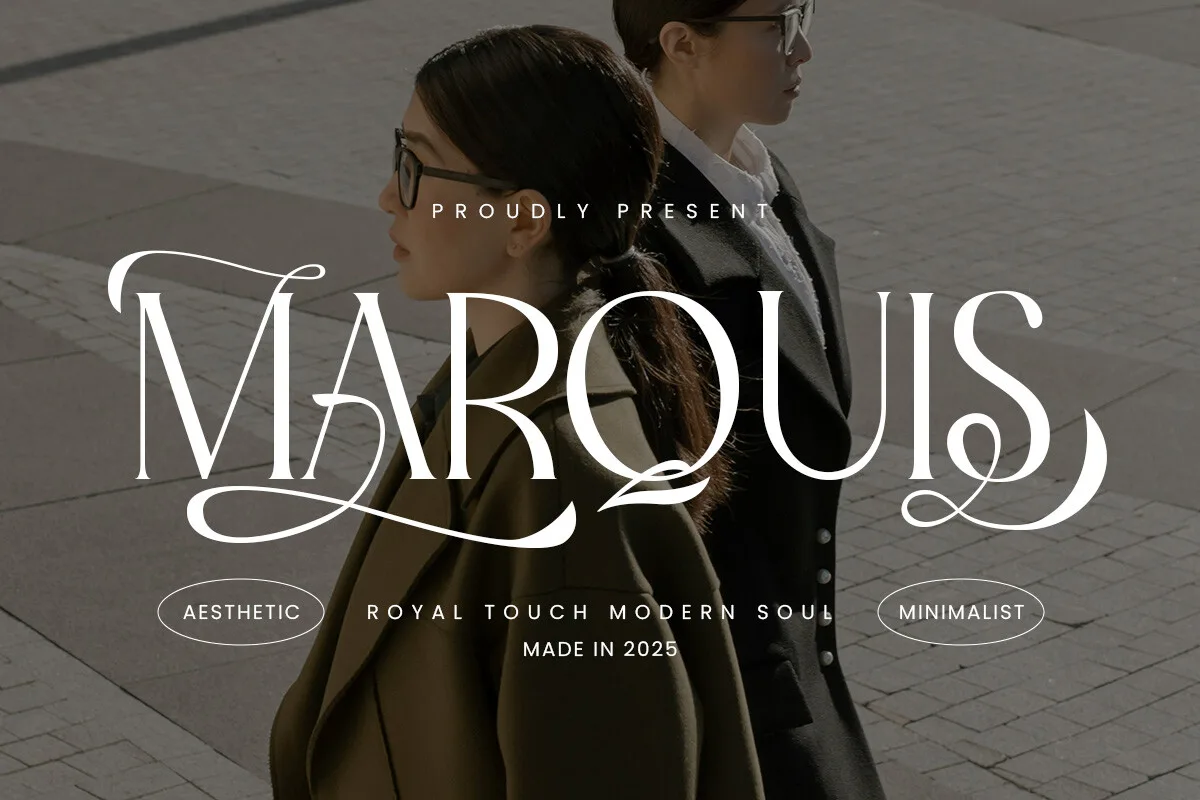
Modern serifLigaturesOTF + TTFCommercial use
The look: Marquis is a modern serif with graceful curves and stylish ligatures: classic, but with a clean, minimal feel. Montserrat in small caps underneath makes it look like a boutique brand.
Best for: logos, social media posts, price lists and “coming soon” graphics.
How to set it up in Canva: brand name in Marquis; tagline in Montserrat, all caps, small size, with letter spacing around 200. That one spacing change makes the whole design look more expensive.
3. Playful Bubble + Quicksand
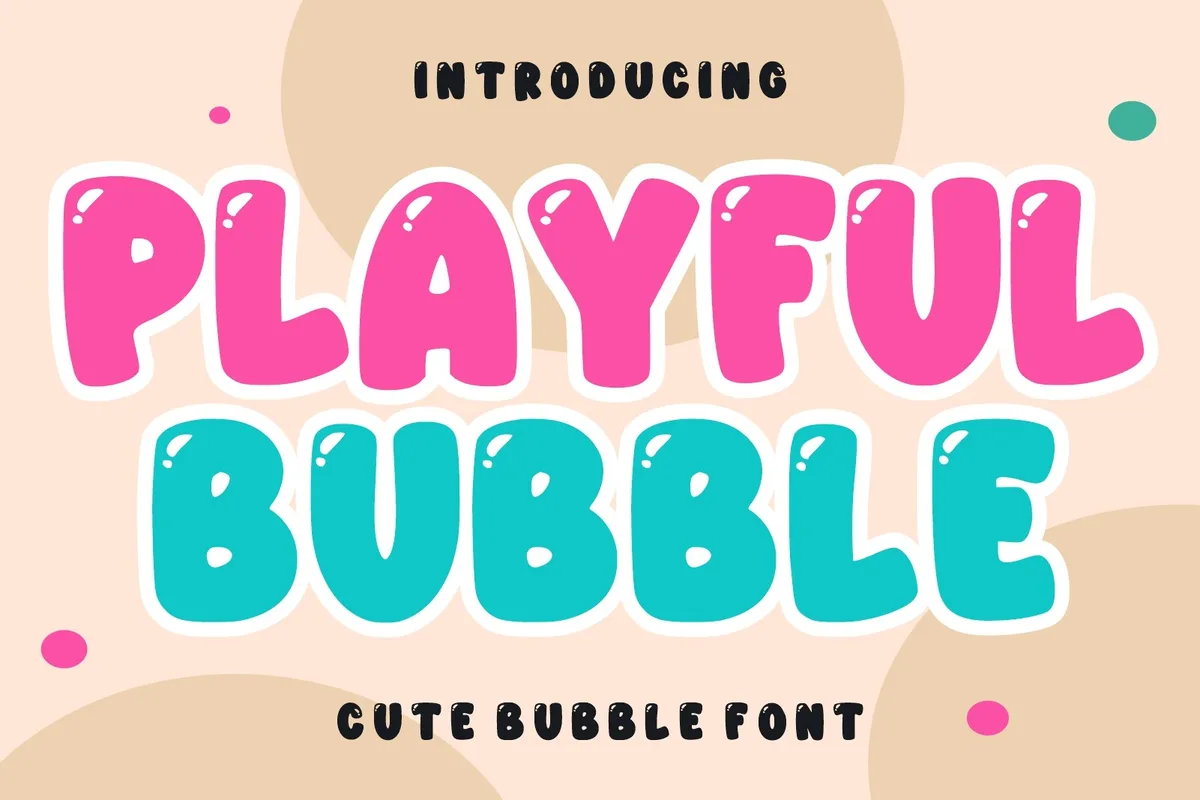
Bubble displayOTF + TTFCommercial use
The look: Playful Bubble is a sweet, rounded bubble font with cartoon vibes. Quicksand has the same soft, rounded feeling but stays easy to read in small sizes.
Best for: kids’ birthday invitations, classroom printables, cute product labels and stickers.
How to set it up in Canva: use Playful Bubble for the child’s name or the event title and Quicksand for the date and details. Try a light pastel background: bubble fonts look best with lots of space around them.
4. Antonio Signature + Playfair Display
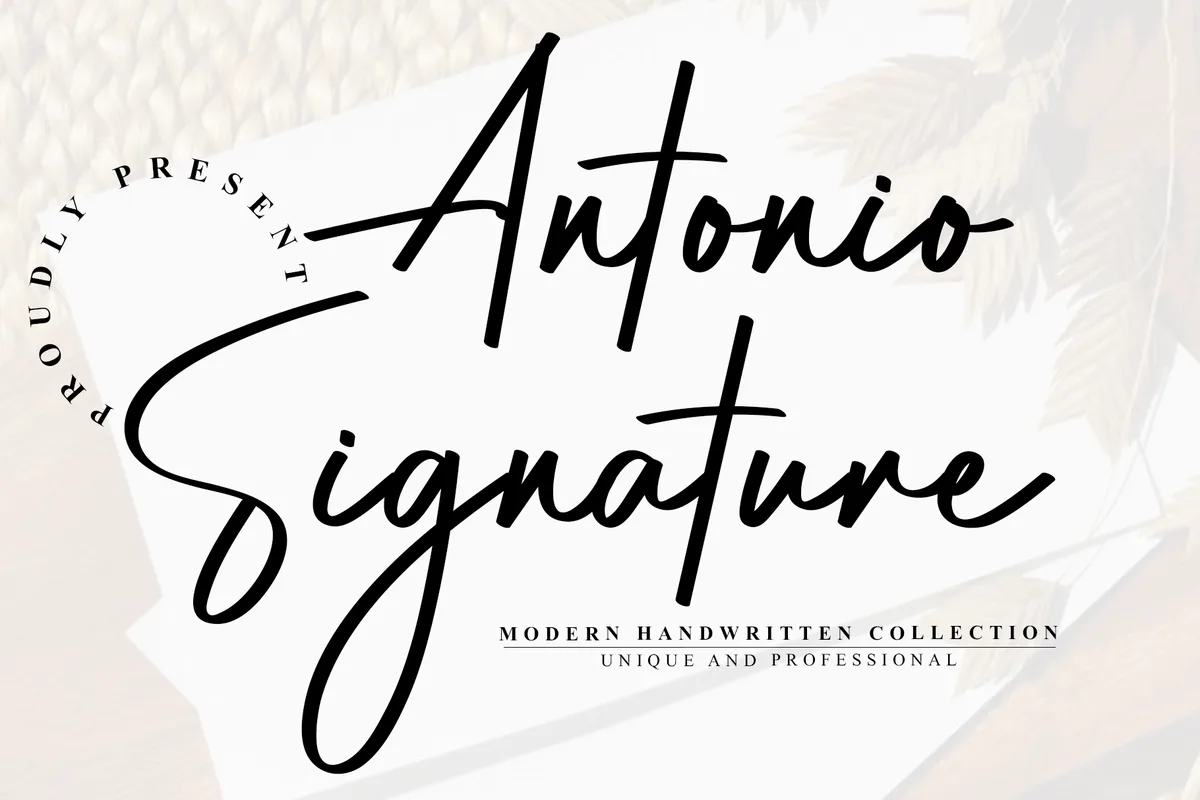
Signature scriptPUA encodedCommercial use
The look: Antonio Signature is an elegant handwritten script with long, flowing connectors, like a real signature. Playfair Display is a classic high-contrast serif, already in Canva, that adds structure.
Best for: wedding stationery, fashion and beauty branding, product packaging, personal logos.
How to set it up in Canva: write the names or the brand in Antonio Signature, then put one line of Playfair Display in capitals underneath (“THE WEDDING OF”, “EST. 2026”). The swashes are PUA encoded, so you can copy them in from a character map (I explain the trick in my Christmas fonts guide).
5. Remla + Lato
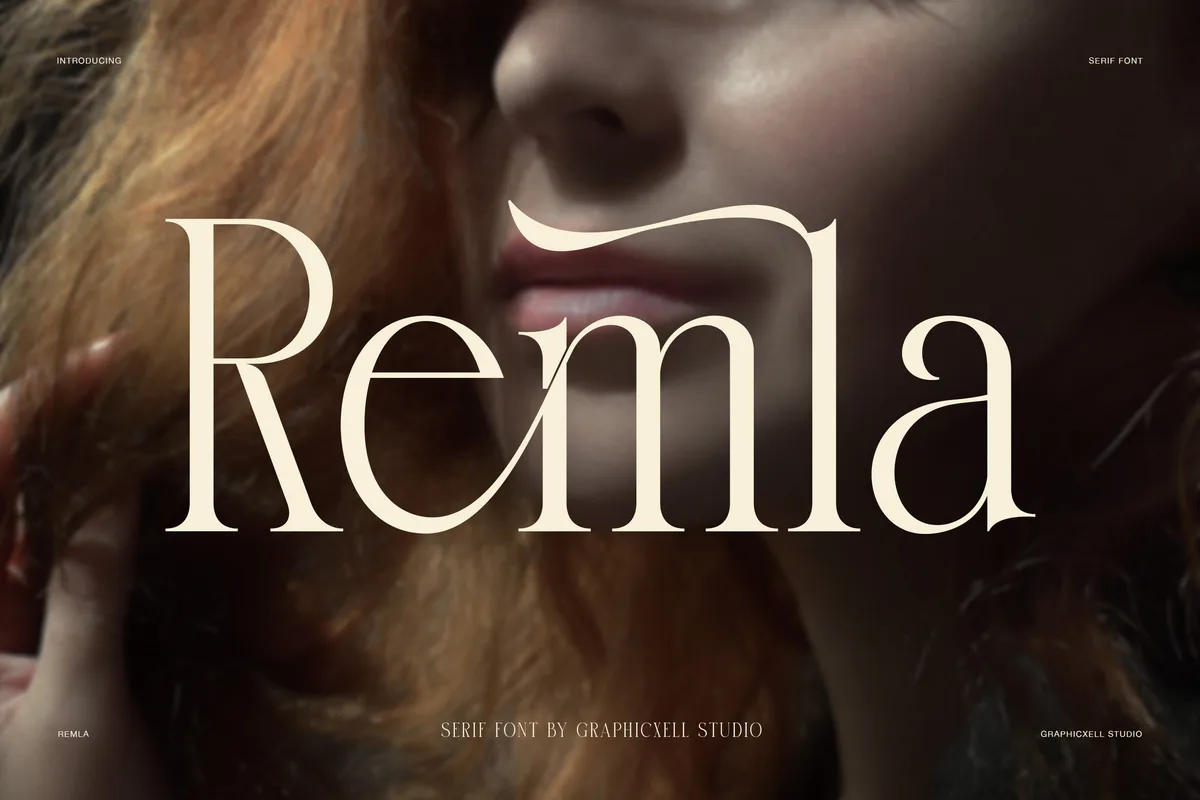
High-contrast serifAlternatesLigaturesCommercial use
The look: Remla is an elegant high-contrast serif with delicate hairlines, bold strokes, decorative alternates and ligatures. Lato is neutral and friendly, so all the attention stays on the headline.
Best for: beauty and skincare brands, editorial-style carousels, quote posts and book covers.
How to set it up in Canva: go big with Remla (it shines at large sizes, where the thin hairlines are visible) and use Lato Light for body text. Avoid Remla below about 24 px: hairlines disappear on small screens.
6. Simple Signature + Cormorant Garamond
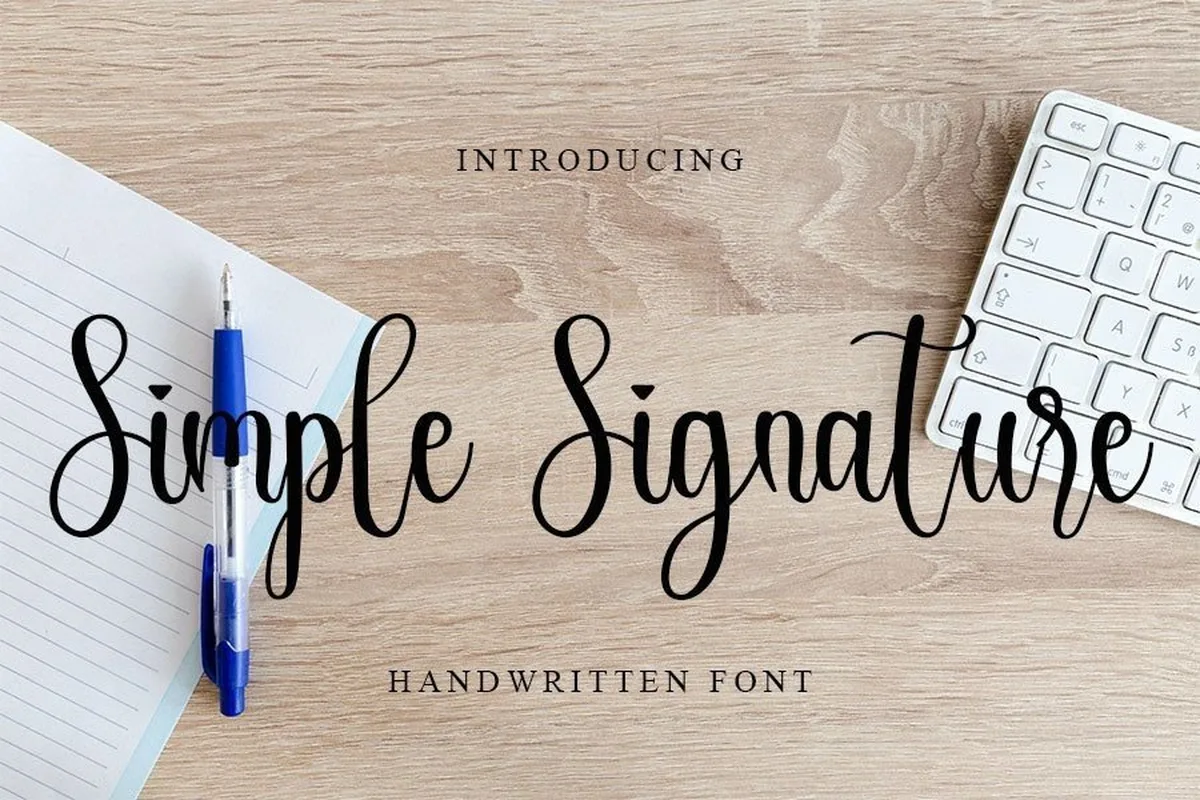
HandwrittenOTF + TTFCommercial use
The look: Simple Signature is a slim, delicate handwritten font that feels personal and romantic. Cormorant Garamond is a soft classic serif that matches its calm mood.
Best for: wedding invitations, thank-you cards, menus and place cards.
How to set it up in Canva: use Simple Signature for one or two words (“Thank you”, the couple’s names) and Cormorant Garamond for the rest. Keep the colours soft: ink black or warm grey on cream.
3 rules for pairing fonts in Canva
- Contrast, not conflict. Pair a font with a lot of personality with a quiet one. Two decorative fonts fight each other.
- One star per design. The headline font gets the big moment; the body font does the work.
- Use size and spacing, not a third font. Need another level of text? Use the body font in bold, capitals or with extra letter spacing instead of adding font number three.
How to add a Creative Fabrica font to Canva
Uploading your own fonts works on Canva Pro, Teams, Business, Education and Nonprofits (not on the free plan).
- Download the font from Creative Fabrica and unzip the folder.
- In Canva, open Brand in the left panel and choose your Brand Kit.
- Click Fonts → Upload a font and choose the .otf or .ttf file.
- Select any text box → font menu → your font appears under Uploaded fonts.
The body fonts in this post (Poppins, Montserrat, Quicksand, Playfair Display, Lato, Cormorant Garamond) are already in Canva, so there is nothing to upload for them.
Clipart that matches these pairings
If you design invitations or party printables, here is clipart from my own shop that fits each mood (not affiliate links):
- Retro Funky Groovy + Poppins → Boho Birthday: rainbows, a smiling sun and daisies in warm earthy colors.
- Cute Playful Bubble + Quicksand → Birthday Party Animals or Dino Birthday Party.
- Romantic Simple Signature + Cormorant Garamond → Elegant Wedding Botanicals.
- Elegant Marquis + Montserrat → Dark Moody Florals for a rich, dramatic look.
See all my sets on the shop page.
A quick note on how to get these fonts
All six headline fonts are part of Creative Fabrica’s All Access subscription. When I wrote this (November 2026), Creative Fabrica offered a free trial with 10 free downloads, which is enough to try several of these pairings. The trial needs a card and renews into a paid plan unless you cancel. Check the current terms on their site before you sign up. Each product page also shows “Commercial licence included”; always check the licence before using a font in something you sell.
More font ideas: Christmas fonts for Canva.